
Where Do I Enter the Coupon on Lenovo?
Verified:
Key Takeaway
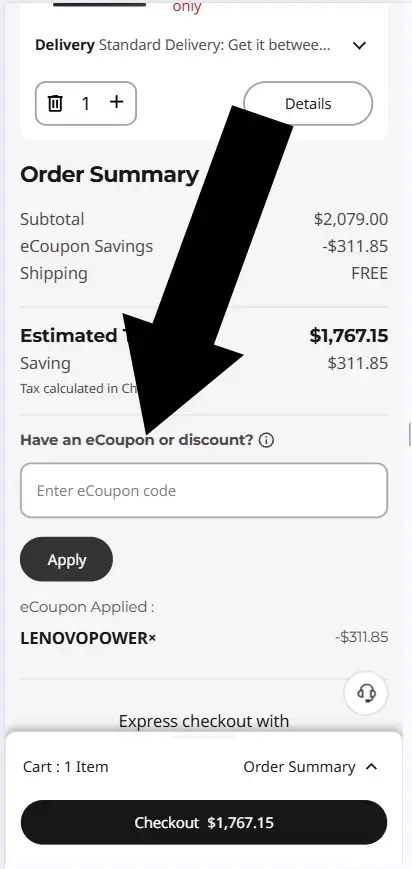
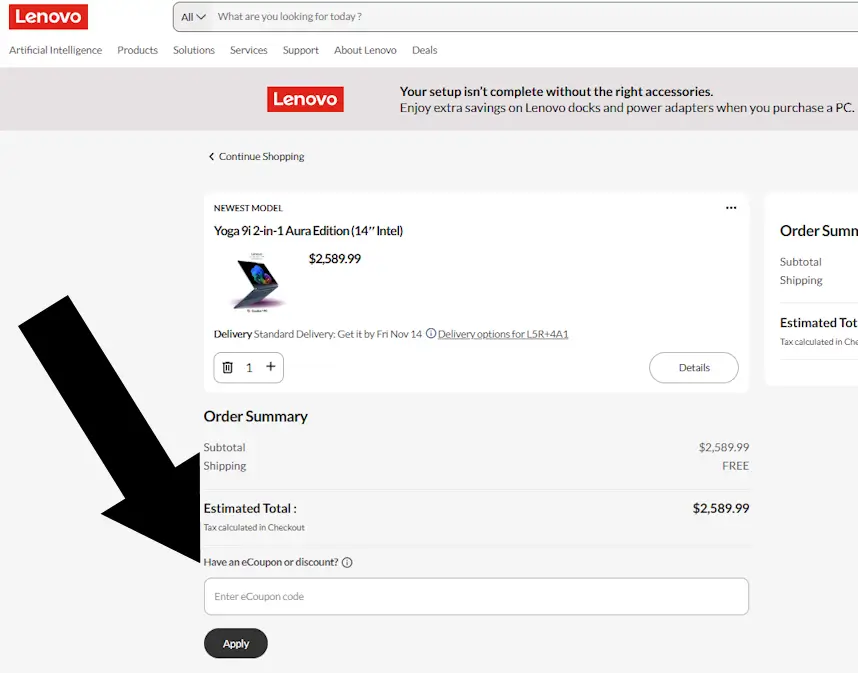
Lenovo promo codes are entered in the Shopping Cart under the heading Have an eCoupon or Discount? Add an item to your cart, tap Skip to Cart, and enter your code before checkout.
Time Required
Difficulty
How to Redeem a Lenovo Coupon
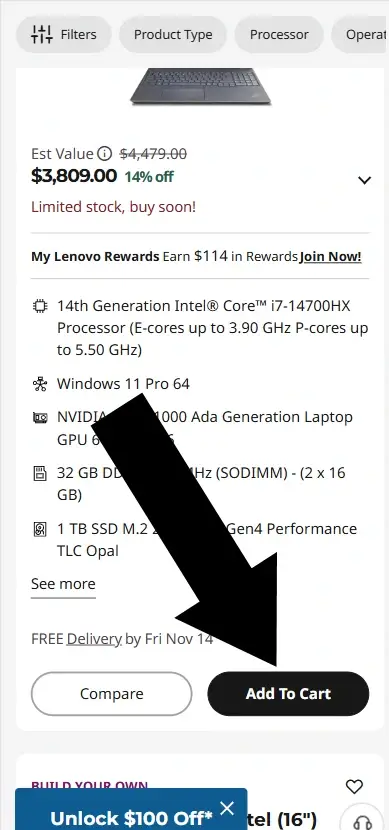
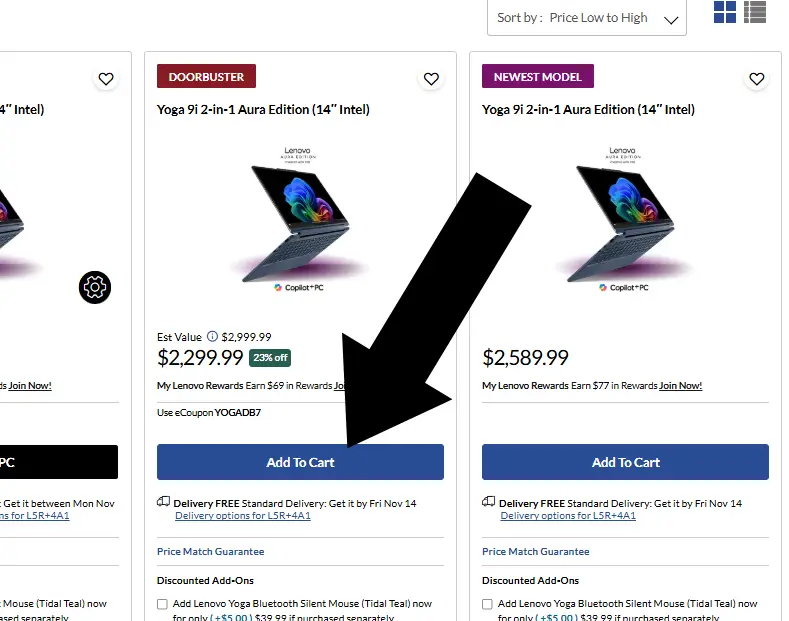
Step 1: Add an item to your cart
Browse Lenovo.com and choose your device. When ready, tap the black Add to Cart button.
Mobile Device
Desktop Device
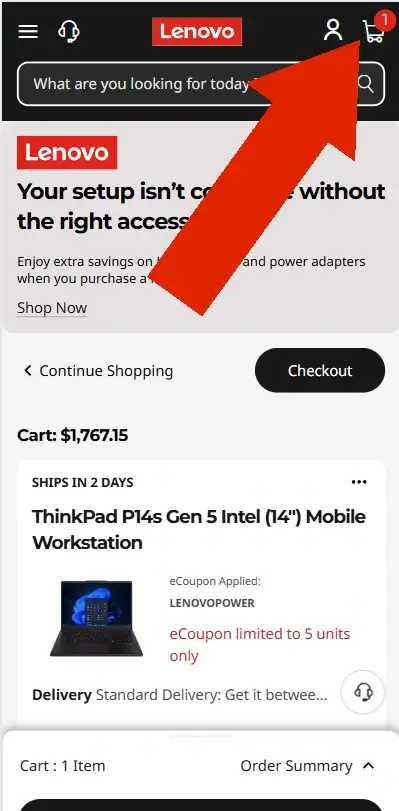
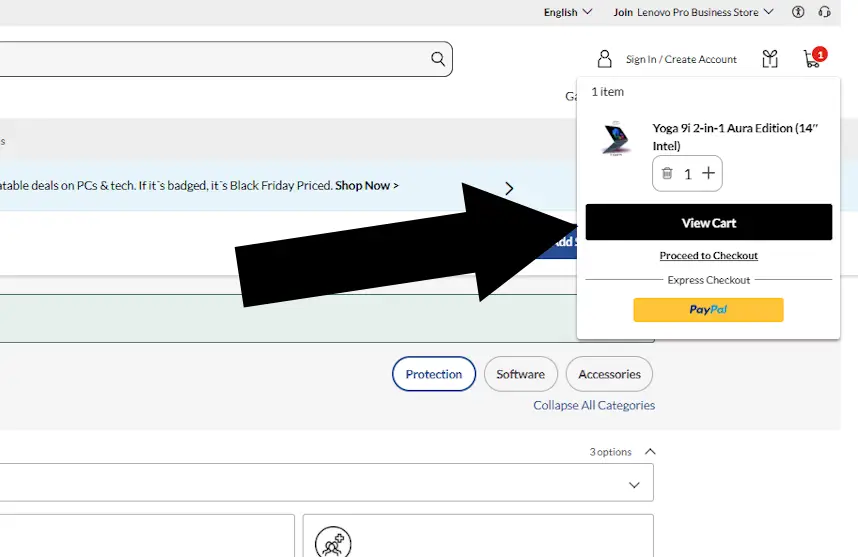
Step 2: Skip to Cart
Select one of the available options, or go straight to checkout by tapping the shopping cart icon in the top right corner.
Mobile Device
Desktop Device
Disclosure: We may earn a commission if you complete a purchase on Lenovo.com after using our guide. This never affects the steps, accuracy, or recommendations we publish. All information is based on independent testing and research conducted on .
Summary
- Add an item to your cart.
- Tap Skip to Cart or the cart icon.
- Under Have an eCoupon or Discount?, enter your code.
- Tap Apply to activate your savings.
Lenovo Coupon Report Card
Moderately Easy to Miss
Coupon field appears early in checkout
No login is needed
About
Lenovo is a global technology retailer offering laptops, desktops, tablets, and accessories for both personal and professional use. While Lenovo releases promo codes regularly, they must be entered in the Shopping Cart under the Have an eCoupon or Discount? section before checkout.
Conclusion
A Lenovo coupon is entered in the Shopping Cart under Have an eCoupon or Discount? before proceeding to checkout.