
Where Do I Enter The Coupon on Home Depot?
Time: 2–3 Minutes | Difficulty: Beginner | Tested by: Michael Tolley | Last tested:
Entering a coupon on Home Depot is simple once you know where the promo code field is located. This guide walks you through the exact steps on both mobile and desktop so you can quickly apply your discount at checkout. If you're wondering where to enter a coupon on Home Depot, the field is in your cart — not at checkout.
A Few Things to Know
This tutorial is for homedepot.com (not homedepot.ca)
The promo code field is in your Cart, not at Checkout
You don't need a Home Depot account to use a coupon
If your screen looks a bit different, Home Depot may be testing a new layout—these steps still apply in most cases.
Step-by-Step Guide to Applying a Home Depot Promo Code
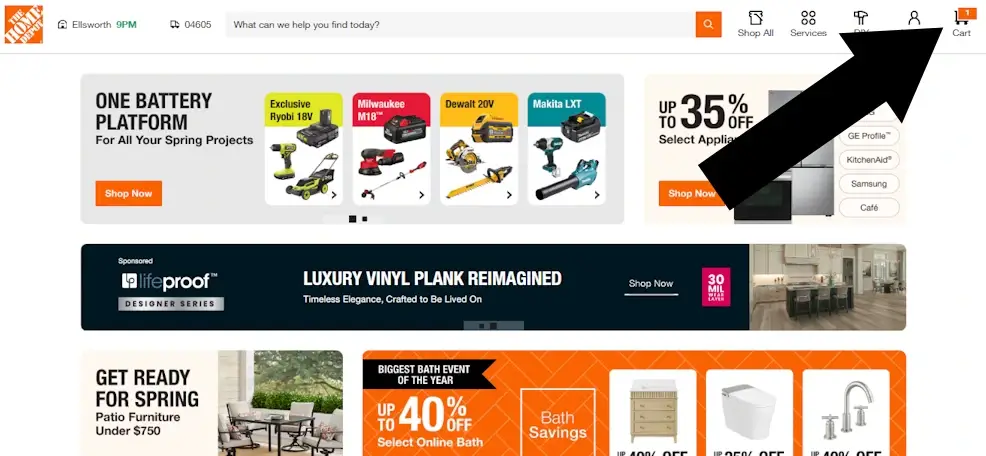
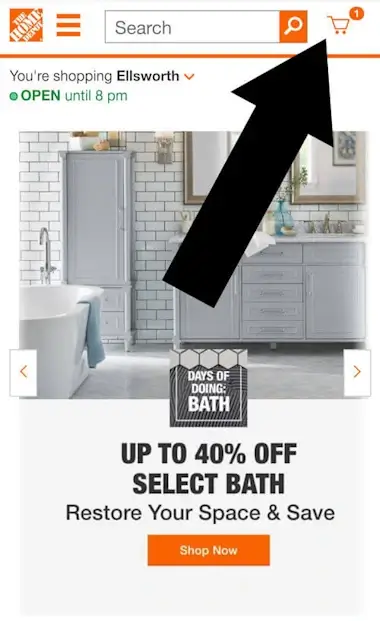
1 Open Your Shopping Cart
Tap or click the shopping cart icon in the top-right corner of the Home Depot website or app.
Desktop
Mobile
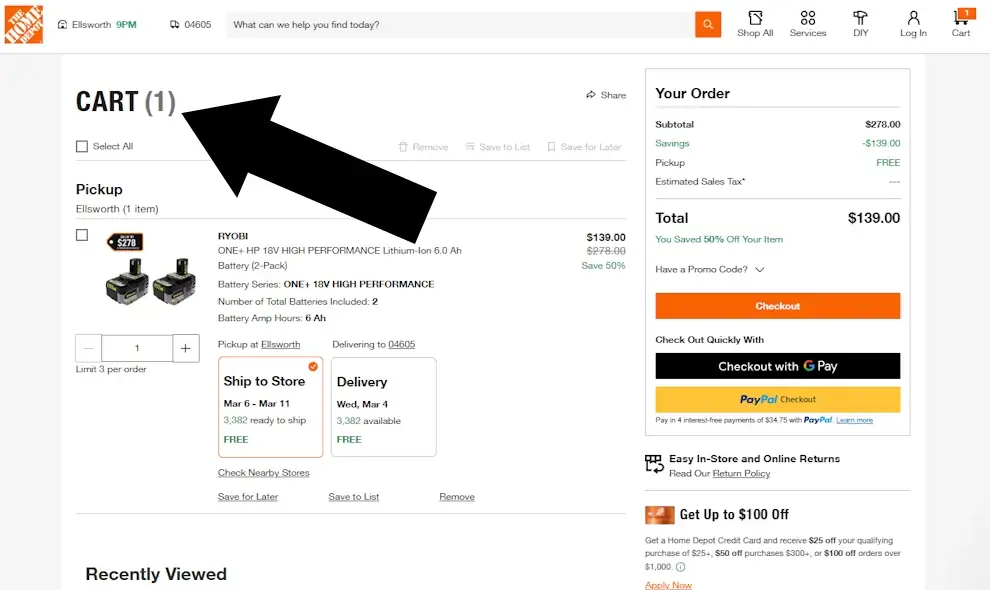
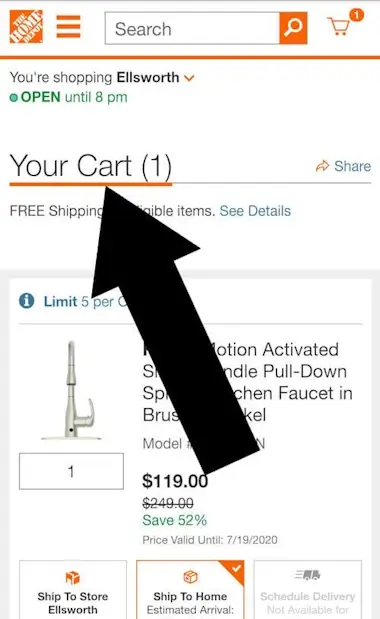
2 Confirm you are in the 'Cart'
You’ll be taken to a page titled CART, showing the items you’ve added.
Desktop
Mobile
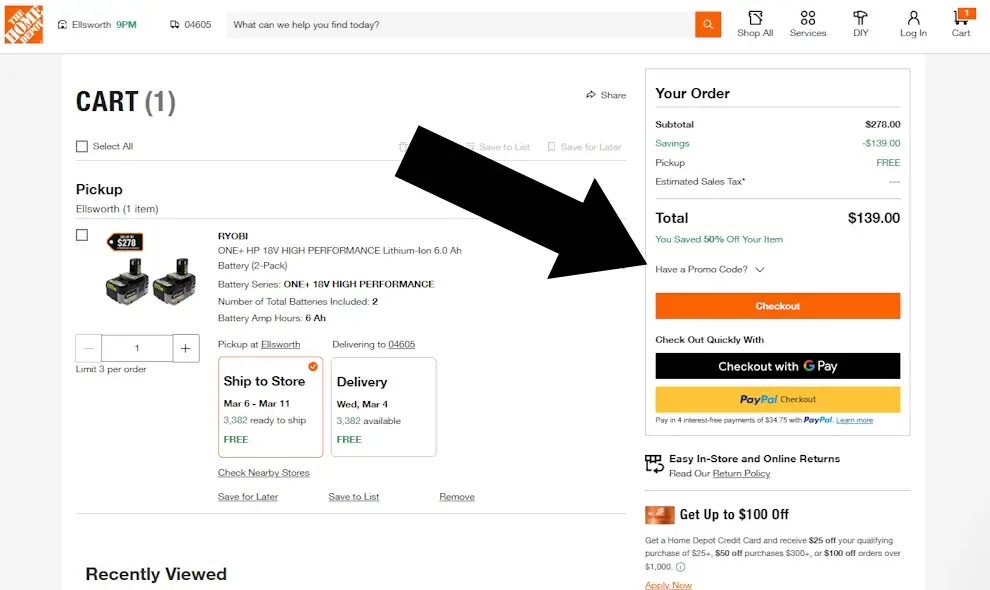
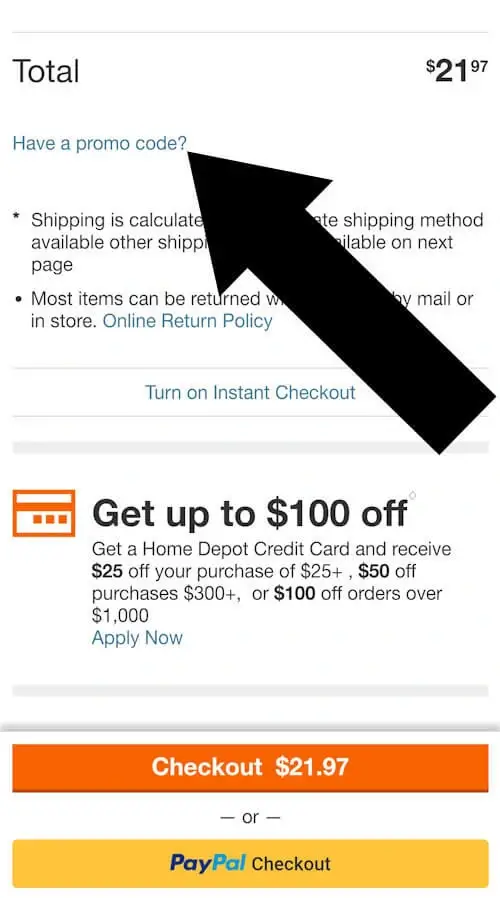
3 Find and Click 'Have a Promo Code?' Under the Subtotal
Scroll down (mobile) or look to the right column (desktop) for the Total section.
Underneath it, you’ll see a small text link that says “Have a promo code?”
Click it to reveal the coupon entry box.
Desktop
Mobile
4 Enter Your Code and Click Apply
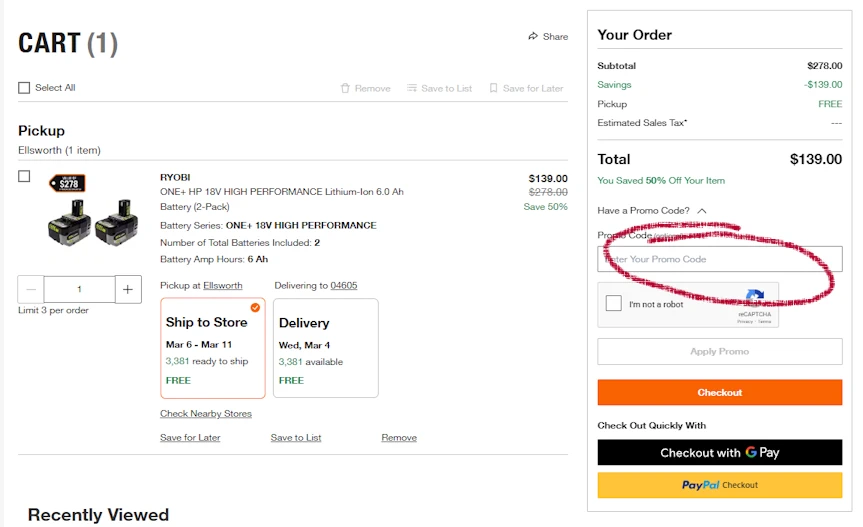
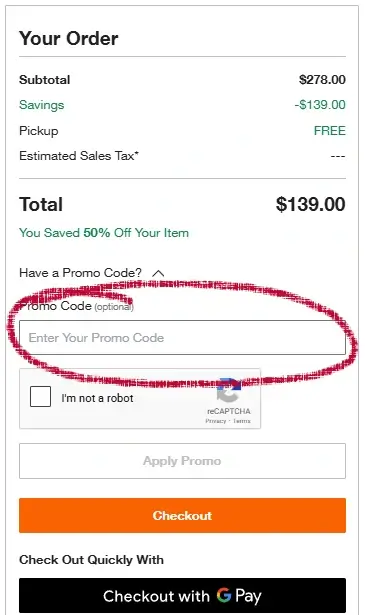
Paste or type in your promo code and tap Apply Promo
Desktop
Mobile
Common Questions About Home Depot Promo Codes
Also try Homedepot's official coupon page
Why isn't my Home Depot promo code working?
The most common reasons are an expired code, a code that doesn't apply to the items in your cart, or a minimum order requirement that hasn't been met. Double-check that the code is entered exactly as given — no extra spaces — and confirm the promotion terms match your order.
Can I apply more than one promo code at Home Depot?
No. Home Depot only allows one promo code per order. If you have multiple codes, try each one separately to see which gives you the better discount before completing your purchase.
Does the "Have a promo code?" link appear if I'm not logged in?
Yes. You do not need a Home Depot account to enter a coupon code. The promo code field appears for both guest and logged in shoppers on the Cart page.
Can I use a promo code on the Home Depot app?
Yes. The process is the same on mobile. Open your cart in the app, scroll down to the order summary, and tap "Have a promo code?" to reveal the entry field.
Bottom Line
You can enter a Home Depot coupon by opening your cart and clicking the “Have a promo code?” link under the subtotal.
Did this page answer your question?

About Our Testing Process
WhereDoIEnterTheCoupon.com has been testing online retailer checkout flows since 2011. Every guide on this site is based on a checkout we navigated ourselves — on real orders, across desktop and mobile, retested whenever a retailer updates its UI. We document exactly where promo codes appear, what breaks them, and what to do when they fail. No guide is published from secondhand research.
Also Shopping at Other Retailers?
- Ace Hardware coupon code guide
- Lowe's promo code guide
- Need help with another retailer? Browse our guides.