
Where Do I Enter A Coupon On MLB?
Time: 2–3 Minutes | Difficulty: Beginner | Tested by: Michael Tolley | Last tested:
Quick Answer
You enter MLB promo codes on the Cart page, inside the grey box labeled “Using a promotional code?” on the right side of the screen. Enter your code, tap Apply, and the discount appears immediately. You’ll also see a second promo code box later on the Payment page after entering your shipping details.
Disclosure: Some links on this page are affiliate links. If you make a purchase after clicking them, we may earn a small commission at no extra cost to you. This never affects our steps, accuracy, or recommendations.
How to Enter a Coupon on MLBShop
1Add an Item to Your Cart
Browse MLBShop.com and add any eligible item to your cart.
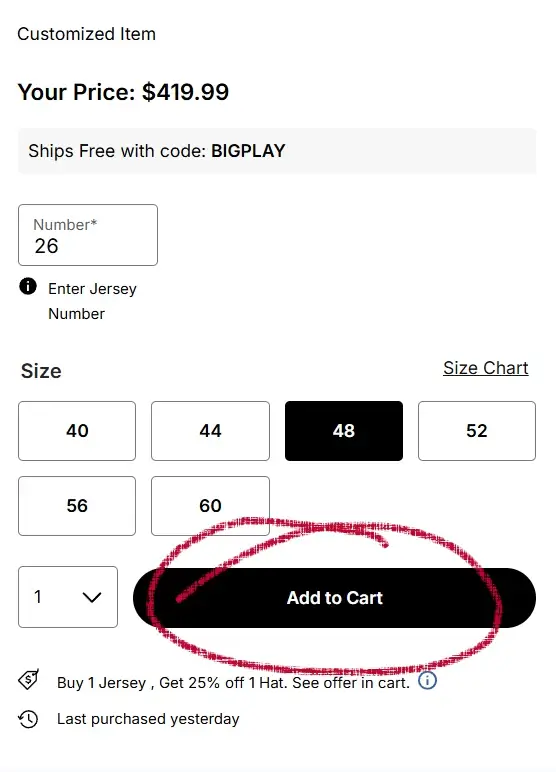
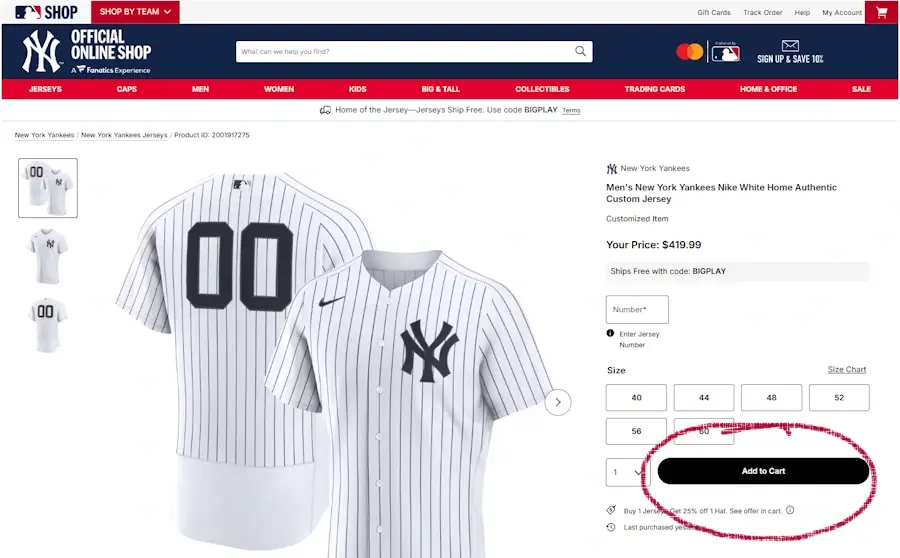
Screenshot dated
2Open the Cart Page
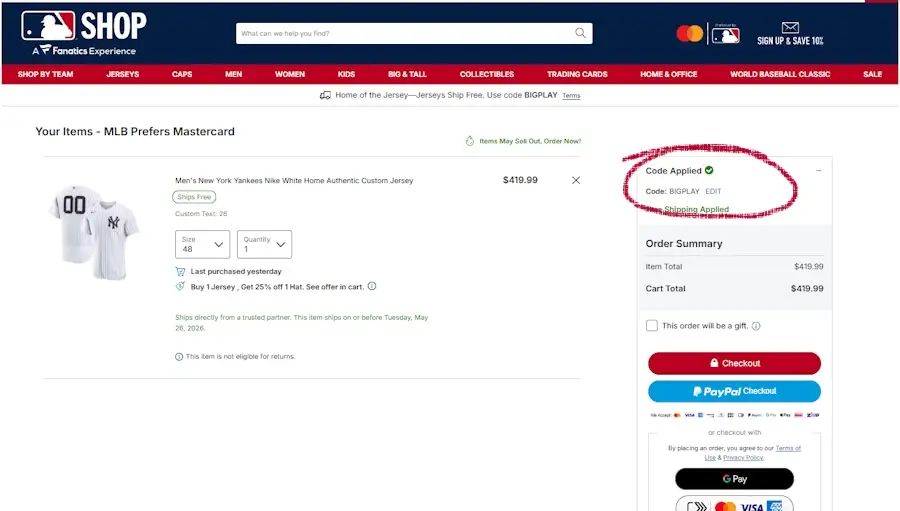
Go to your Cart. On the right side of the page, look for the grey box labeled “Have a Promo code?”. This is where you’ll enter your coupon.
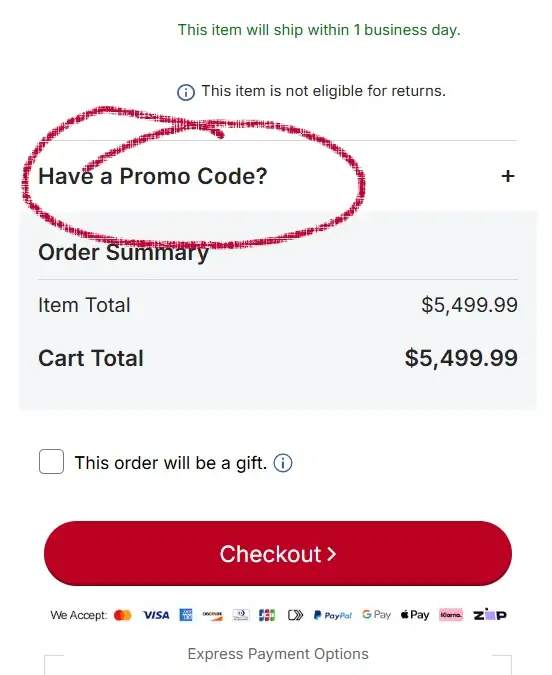
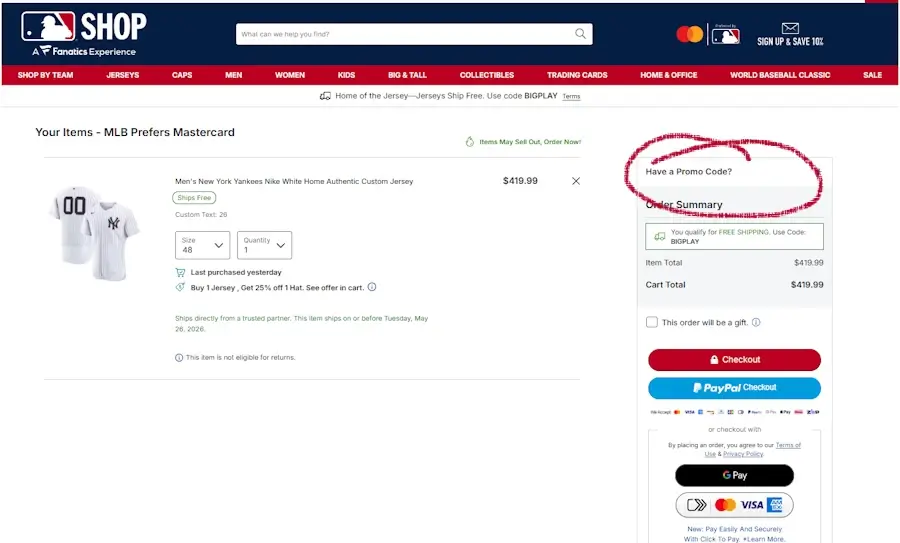
Screenshot dated
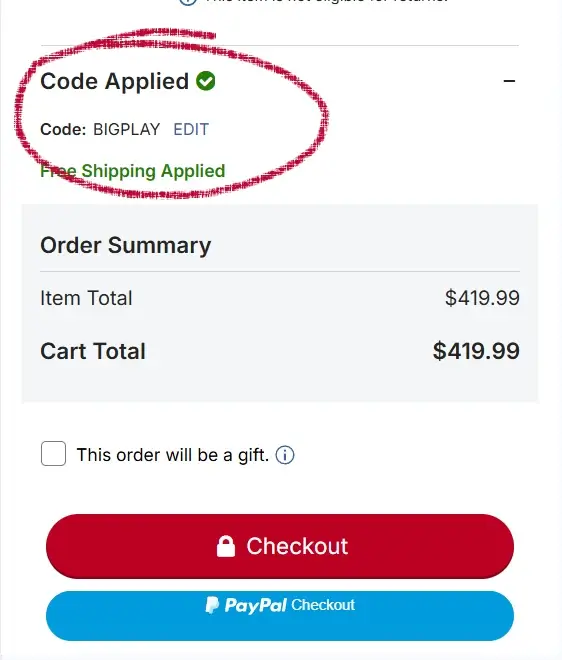
3Enter Your Code and Tap Apply
Type your promo code into the field and select Apply.
If the code is valid, a message appears immediately that reads Code Applied.
Your order total updates automatically. If it does not change, the item may be excluded from the promotion.
Screenshot dated
Troubleshooting MLB Promo Codes
Promo code box not showing
- Your cart may be empty.
- You might be viewing Saved Items instead of the Cart.
- On mobile, expand the order summary to reveal the field.
- The Shipping page does not show a promo box — only Cart and Payment.
Code says “Not Eligible”
- Player jerseys
- New releases
- Postseason or limited edition gear
- Nike-branded apparel
- Items marked “Excluded from promotions”
Discount disappeared at checkout
- An eligible item was removed or changed.
- You switched shipping methods.
- The code expired during your session.
- You applied a new code — MLBShop only allows one.
Only one code allowed
Gift card vs promo code confusion
- Promo codes go on the Cart or Payment page.
- Gift cards go only on the Payment page.
- You can use both in the same order.
Item level exclusions
- Autographed memorabilia
- Collectibles
- Clearance items
- Some team specific or player specific gear
Did this answer your question?

About Our Testing Process
WhereDoIEnterTheCoupon.com has been testing online retailer checkout flows since 2011. Every guide on this site is based on a checkout we navigated ourselves — on real orders, across desktop and mobile, retested whenever a retailer updates its UI. We document exactly where promo codes appear, what breaks them, and what to do when they fail. No guide is published from secondhand research.
Test conditions used for this guide:
Windows Firefox
iOS Safari
Android Chrome
Guest checkout
Logged-in account
Full-price items
Sale items