A Practical Guide to Online Coupon Terms and Conditions
Published April 11, 2024 and updated
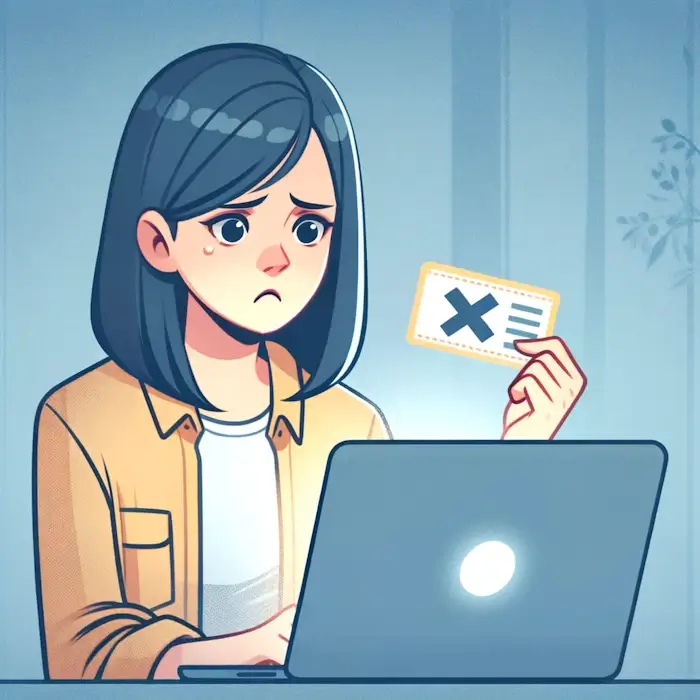
I have lost count of how many times I have found a promising coupon code, added items to my cart, reached checkout and watched the discount quietly fail to apply. Almost every time, the issue comes down to something buried in the fine print: a minimum I have not met, a category I did not realize was excluded, or an expiration date that passed weeks ago while the code kept circulating online.
Most coupon failures are not random. They are predictable once you know what to look for. This guide shows you how to scan the fine print quickly, the restrictions that cause most failures, and what to try when a valid code still refuses to apply.
Where Coupon Terms Are Usually Hidden
- Coupon sites: Tap “Show Details” or “Terms” before copying the code.
- Marketing emails: Scroll to the bottom for the fine print link.
- Checkout page: Many stores reveal restrictions only after you enter the code.
In 2025–2026, many retailers moved restrictions into hover-only tooltips on desktop and accordion menus on mobile, making them even easier to miss. Some stores now reveal full terms only after you log in or only inside their mobile app.
If the terms still are not clear, search the code and retailer name together. Popular codes are often documented by other shoppers, and recent comments on major coupon sites can indicate whether a code is still working.
The Restrictions That Cause Most Coupon Failures
1. Expiration Dates
The most obvious restriction and the easiest to overlook when a code has been sitting in a tab for days. Look for “Valid until” or “Expires.” Flash sale codes often expire within 24 to 48 hours, so screenshot them immediately if you plan to return later.
In 2026, some retailers began using dynamic expiration windows that shorten or extend based on inventory levels, and several coupon sites now display AI generated “valid until” guesses that can be inaccurate. Always rely on the retailer’s own terms, not third-party estimates.
2. Minimum Purchase Requirements
Your cart must reach a specific amount before the discount applies. Common formats include 20 off 100, 15 percent off 50, or free shipping on 35. The detail that trips people up is whether the minimum applies before or after other discounts and taxes. A 98 dollar cart after sale pricing may not qualify for a 20 off 100 code.
Recently, some retailers began calculating minimums after loyalty pricing and in cart cashback, which means your subtotal can drop below the threshold even when the items in your cart have not changed.
3. Product Exclusions
“Sitewide” rarely means everything. Sale items, clearance, gift cards, new releases, and premium brands are frequently excluded even when the promotion sounds universal. If you are buying something already discounted, assume it may not qualify until the terms confirm otherwise.
Many retailers have added new types of exclusions that are easy to miss. App only items, subscription products, and third party marketplace listings are often excluded even when the promotion appears to be sitewide. Some brands also restrict discounts on items sold through mobile apps but not on desktop, or the reverse. Always check whether the code applies to the specific channel you are using.
4. New Customer Only Codes
These are common, and workarounds rarely succeed. Retailers verify eligibility using email, shipping address, payment method, and device fingerprinting, not just account status. Creating a new account with a different email often triggers a fraud flag rather than unlocking the discount.
In 2025 and 2026, retailers strengthened their verification systems. Many now check device fingerprints, purchase history patterns, and SMS verification rather than relying only on email addresses. This means most workarounds that used to unlock new customer codes no longer succeed, even when you use a different email or browser.
A Word of Caution on "Multi-Accounting"
Many large retailers now use device fingerprinting to catch shoppers who try to claim a "new customer" discount more than once. Even with a new email address, their system can recognize the device you're ordering from. Attempting to reuse a new-customer code this way is a well-documented way to trigger a fraud flag on the order, so it's worth treating these codes as genuinely one-time rather than looking for a workaround.
5. Single Use and Non Stackable Codes
Single use codes work once per customer. Non stackable codes cannot be combined with other promotions or sale prices. If you have multiple codes, test them individually. The highest percentage is not always the best savings, especially if one applies to sale items and another does not.
Recently, many retailers introduced new stacking rules that depend on the channel you use. Some discounts stack only in the mobile app, while others work only on desktop. Auto applied promotions can also replace your manual code without showing a clear warning, which makes it important to check the order summary after every change.
Less Common Restrictions Worth Knowing
- Geographic limits: Valid only in certain countries or regions.
- Payment method rules: Some codes require a specific card or app.
- Reactivation codes: Sent to customers who have been inactive, but now tied to account age, login history, and purchase patterns rather than a simple number of months.
- Time limited codes: Valid only during specific hours, especially in flash sales.

What to Do When a Valid Code Will Not Apply
1. Recheck the Basics
Confirm your cart meets the minimum, none of your items are excluded, and the code has not expired.
2. Try Quick Fixes
Remove sale items temporarily, clear auto applied discounts, and check whether in cart cashback is lowering your subtotal. If the code still fails, try a private window or a different browser to rule out session issues.
3. Contact Customer Service
Use live chat before completing your order. Explain that the code appears valid based on the terms and ask if they can apply it manually. Many retailers can, and a polite, specific request works more often than people expect.
4. Look for Alternatives
Search for a newer version of the code, check loyalty program discounts, or wait if a better sale is likely soon.
Red Flags That a Code Is Fake
- The code has no expiration date and also has no recent confirmations from real shoppers on any major coupon site.
- Claims of 70 to 90 percent off everything.
- The code redirects you to a page that asks for personal information, rewards signups, or other actions unrelated to checkout. Legitimate retailers never require these steps to use a coupon.
- The code appears on multiple coupon sites but every listing shows zero recent confirmations from real shoppers.
- The code appears only in AI chat responses or on sites with no user comments, even though it looks like a real retailer format.
Legitimate codes usually follow predictable patterns, a mix of letters and numbers tied to a campaign or date. Anything that looks random or too good to be true usually is.
The Bottom Line
Reading coupon terms takes seconds and prevents most checkout surprises. Before using any code, confirm the expiration, check the minimum, look for exclusions, and verify whether sale items qualify. If a valid code still will not apply, contact customer service. They can often honor the discount when you can show the terms are met. Understanding the fine print means the limitations work against someone else’s cart, not yours.