
How Do I Use A Coupon At Belk?
Belk.com mirrors its 130-year legacy, offering modern, Southern-style goods for the family. Spanning nearly 300 stores in 16 states since 1888, it now brings daily deals on apparel, home essentials, and more online. Shop top brands and exclusive collections at Belk.com, your hub for Southern charm.
How to Enter a Belk Coupon on a Mobile Device
Step 1
Add an item to your shopping bag using the blue button with the text ‘Add to Bag’.

Step 2
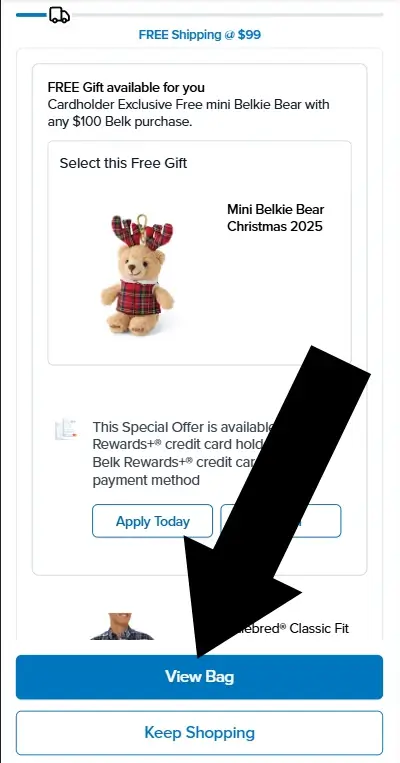
When you are ready click SECURE CHECKOUT
How to Enter a Belk Coupon on a Desktop
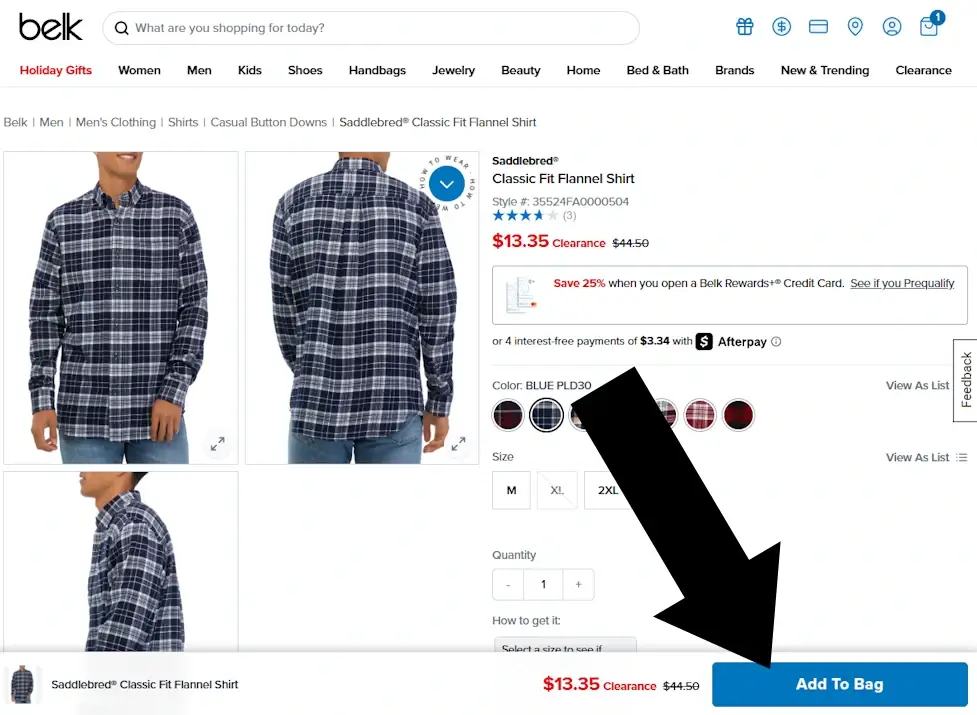
Step 1
To begin, on the product page locate the blue button with the text ‘Add to Bag’ and click it.
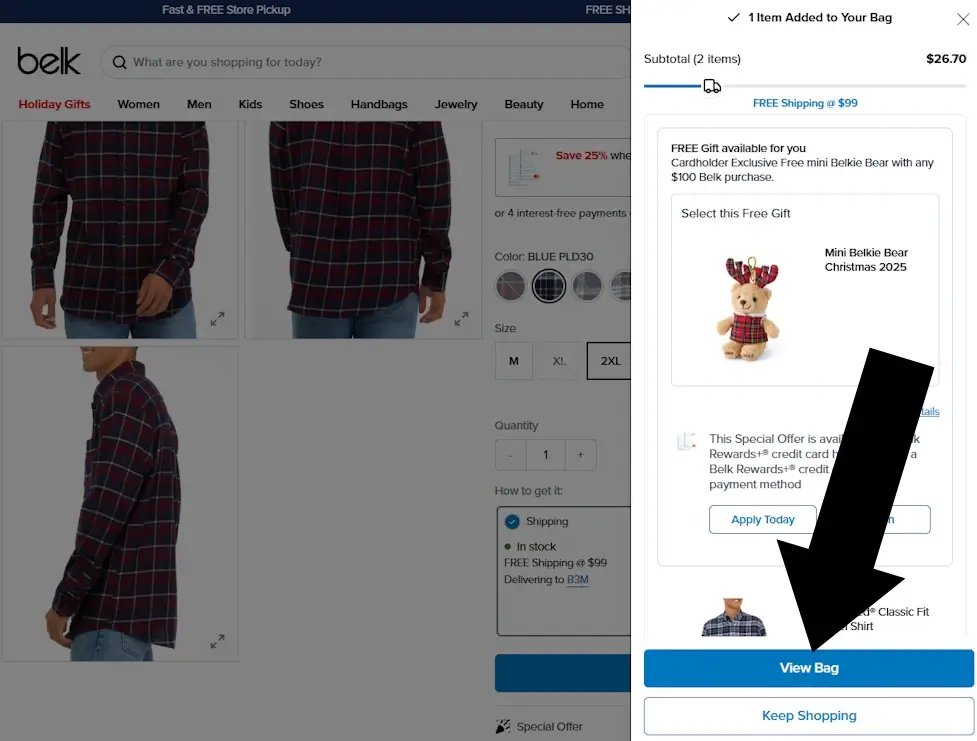
Step 2
Next, a slideover will appear with some options to consider. When ready click the blue button with the text ‘View Bag’.
Short Answer
So, “how do I use a coupon at Belk?” It is entered during checkout under the heading APPLY COUPON, and before tapping PROCEED TO CHECKOUT. There is no further option to enter your code once you leave this page. If you begin the checkout procedure without applying the code, simply hit the back button on your browser.
Belk Coupon Report Card
Early in checkout
No Login required
Summary:
Step 1: Add an item to your ‘Bag’
Step 2: Tap ‘View Bag’
Step 3: On the page with the heading ‘Shopping Bag’ look for the heading ‘Apply Coupon or Promo Code’. Do this before tapping ‘Proceed to Checkout’