
How Do I Use a Coupon on LLBean?
Time: 2–3 Minutes | Difficulty: Beginner | Tested by: Michael Tolley | Last tested:
Disclosure: Some links on this page may earn us a commission if you make a purchase. This helps support our testing and guides at no cost to you.
LLBean has been making outdoor gear since 1911. The brand is known for durable clothing and weather ready products. If you want to use a coupon on LLBean, the steps are simple. Follow the guide below to redeem a promo code or gift card.
Quick Answer
LLBean coupons are entered in the Shopping Bag. After adding an item to your bag, open the Shopping Bag and look for the field labeled Add Promo or Gift Card. Enter your code and select Apply. Confirmed working on
.
How to Use an LLBean Coupon
Add an item to your bag
Find your product, choose the correct size and color, and select Add to Bag.
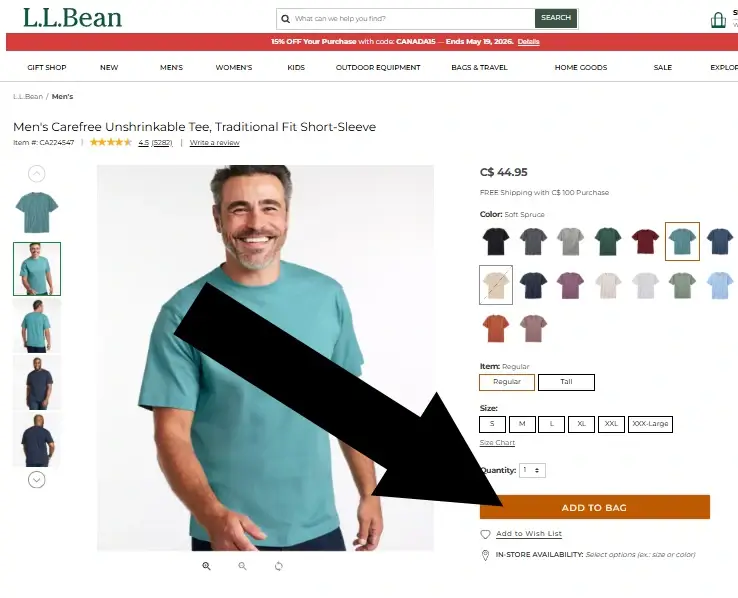
Screenshot taken on
Select View Bag
A popup appears after you add an item. Select View Bag to continue.
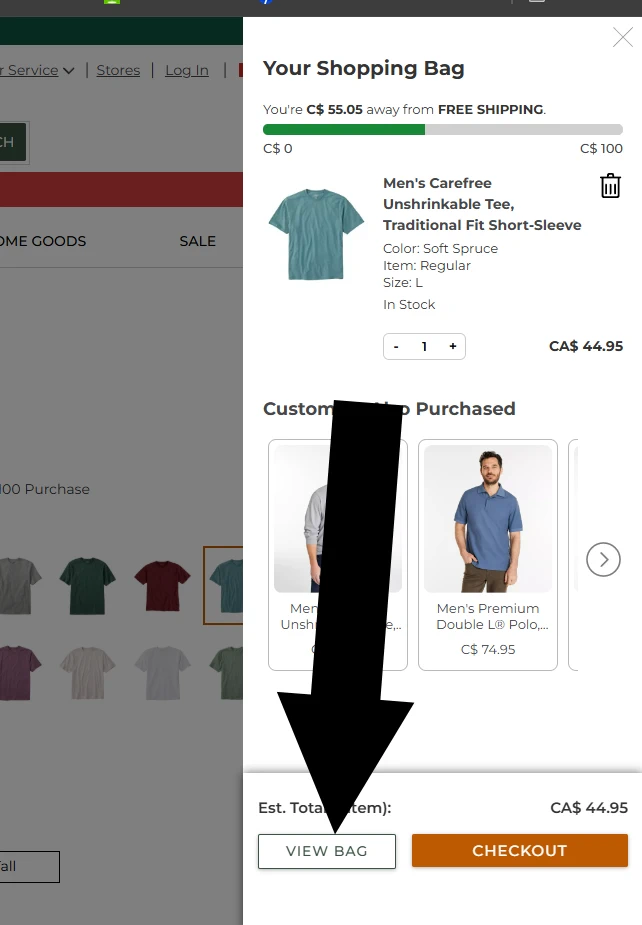
Screenshot taken on
Enter Your Promo Code
In the Shopping Bag, look for the box labeled Add Promo or Gift Card. Paste or type your code into the field and select Apply.
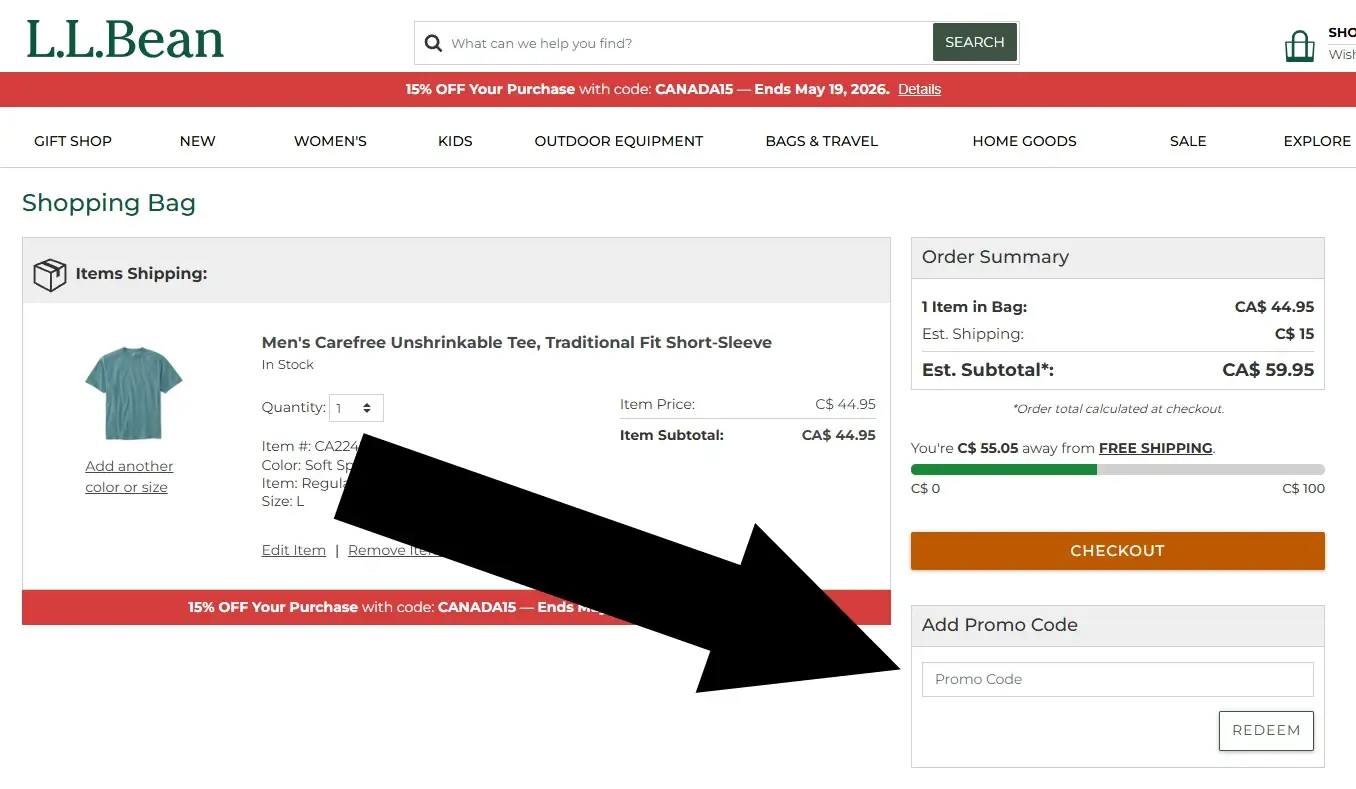
Screenshot taken on
Testing Notes
The steps in this guide were verified on using the current llbean layout. The coupon flow was essentially unchanged since our last audit.
Did this answer your question?
Optional: tell us why or why not
About Our Testing Process
WhereDoIEnterTheCoupon.com has been testing online retailer checkout flows since 2011. Every guide is based on a checkout completed on real devices using real orders.
For this LLBean guide, we added items to the bag, confirmed that the Shopping Bag loaded correctly, located the promo code field, and applied a test code to verify that the discount updated the total. The llbean.com website was last tested .
Test conditions used for this guide:
Windows Firefox
iOS Safari
Android Chrome
Guest checkout
Logged-in account
Full-price items
Sale items
Pre-order items
Also Shopping at Other Retailers?
- Columbia coupon code guide
- Backcountry promo code guide
- Need help with another retailer? Browse our guides.